Cómo Enviar una recertificación para CalFresh
Con BenefitsCal, puedes enviar tu recertificación CalFresh online o desde tu teléfono. Esto te ayuda a conservar tus beneficios alimentarios sin tener que acudir a una de nuestras oficinas.
El video ofrece instrucciones detalladas sobre cómo recertificar tu CalFresh. Para cambiar los subtítulos del video a otro idioma, haz clic en el icono de engranaje del video, selecciona "CC" o "Subtítulos" y elige el idioma que prefieras.
También se muestran instrucciones paso a paso que se enumeran a continuación.
-
Empieza a usar BenefitsCal
-
Vinculando tu cuenta de BenefitsCal
-
Recertificar CalFresh en BenefitsCal
-
¿Preguntas?
Instrucciones paso a paso para enviar una recertificación CalFresh
-
1
Inicia sesión en BenefitsCal
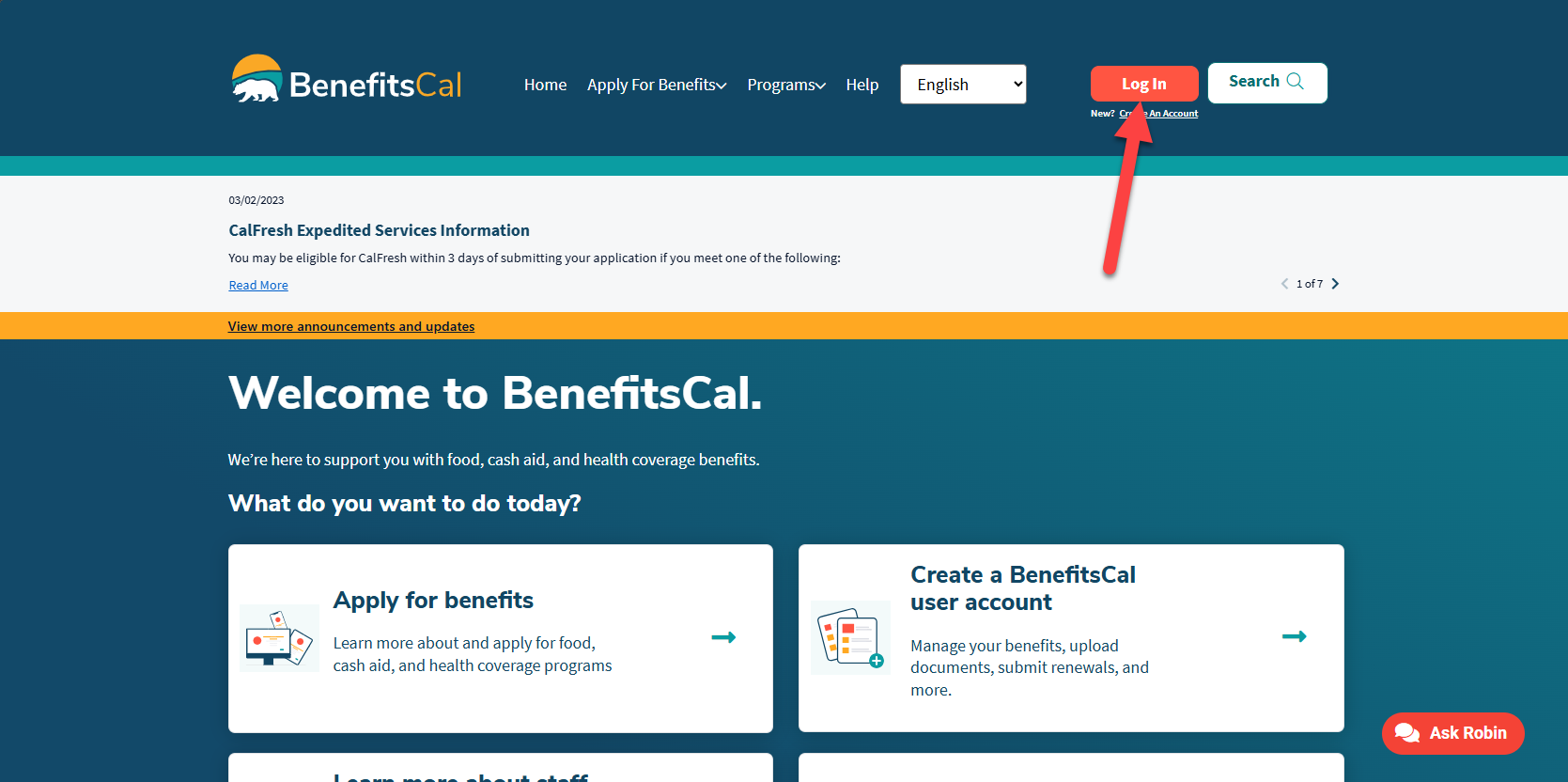
Ve a BenefitsCal.com e inicia sesión en BenefitsCal usando tu email y contraseña. Es posible que te pidan introducir un código de verificación enviado a tu email antes de poder continuar.
-
2
Haz clic en "Comenzar tu recertificación"
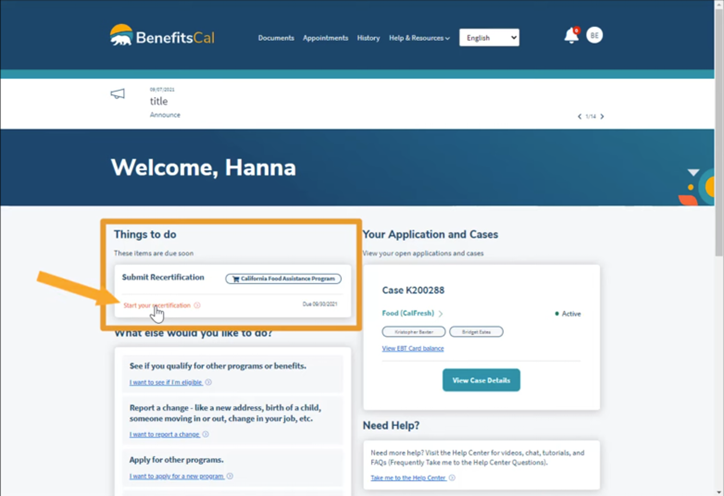
Busca la sección "Cosas que hacer" en tu panel de control. Si tu recertificación vence pronto, verás la opción de "Comenzar tu recertificación". Haz clic en el enlace para comenzar tu recertificación CalFresh.
-
3
Revisa y haz clic en "Comenzar" para empezar
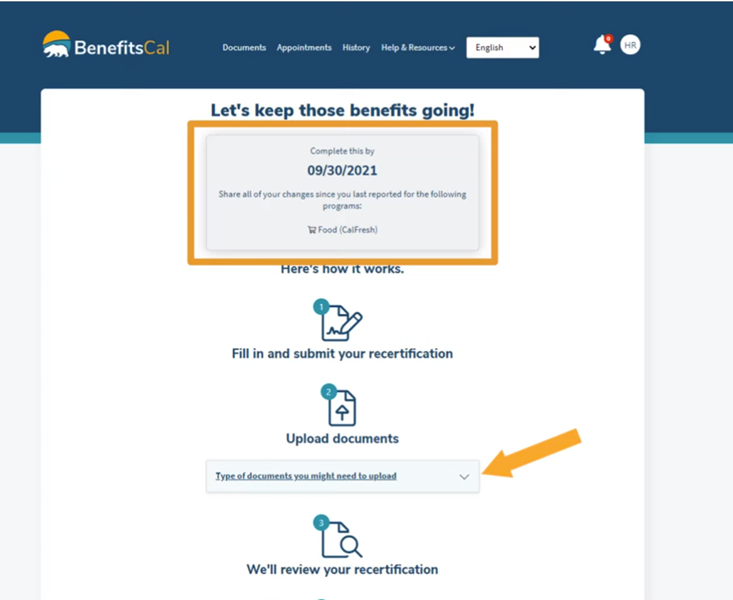
Verás una página que muestra tu fecha límite para la recertificación y un resumen del proceso de recertificación.
- También puedes revisar los tipos de documentos que podrías necesitar subir.
- Desplázate hasta el final de la página y haz clic en "Comenzar" para empezar.
-
4
Responde a las preguntas para completar tu recertificación
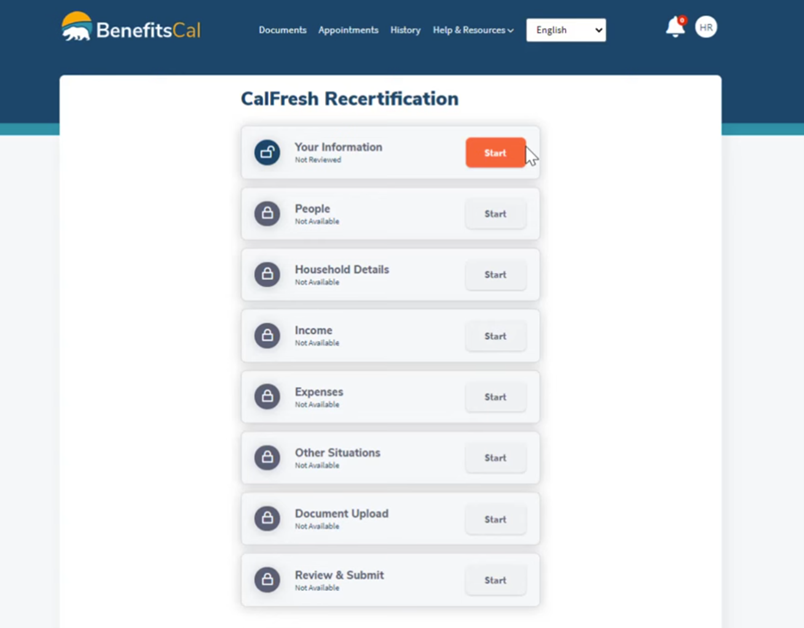
A continuación, verás la página de Resumen de Recertificación. Muestra cada sección de la recertificación y el estado.
- Puedes acceder a secciones específicas haciendo clic en ellas.
- Revisa y responde a las preguntas de cada paso para completar tu recertificación. Haz clic en "Siguiente" cuando termines.
- Para una instrucción más detallada, mira el video de arriba.
-
5
Sube documentos, si es necesario
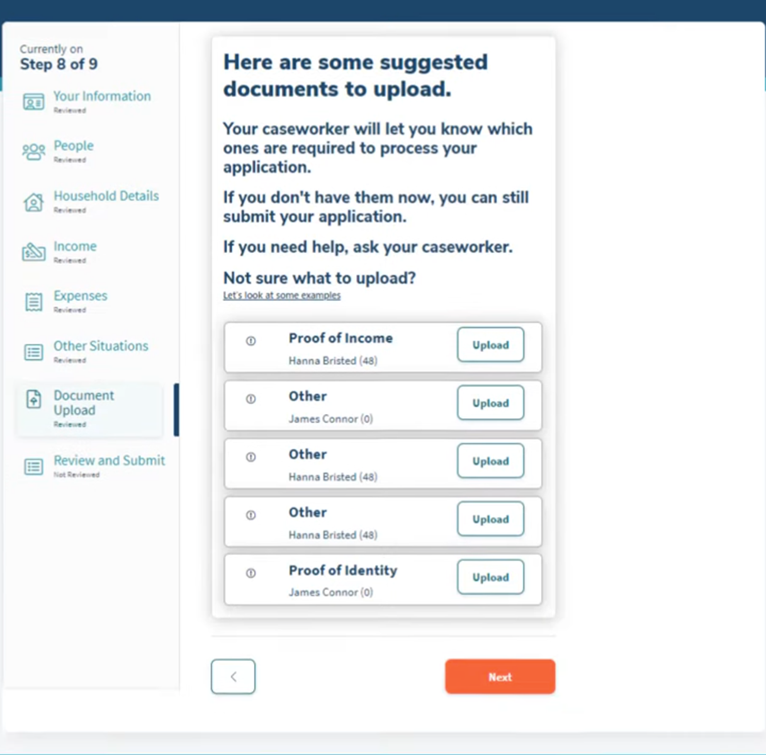
En la sección "Subida de documentos" encontrarás una lista de documentos sugeridos para subir. Sube documentos, si es necesario.
- Tu trabajador social te dirá qué documentos debes subir.
- Busca el tipo de documento. Haz clic en "Subir", elige tu archivo o haz una foto, y luego envía.
- No estás obligado a enviar documentos para la recertificación de CalFresh, pero puede ayudar a procesar tu solicitud más rápido.
-
6
Revisión y Firma de Enviar
Al final, verás una página de Revisión y Enviar.
- Comprueba que todo esté correcto. Vuelve y arregla cualquier cosa que esté mal.
- Lee los "Derechos y Responsabilidades".
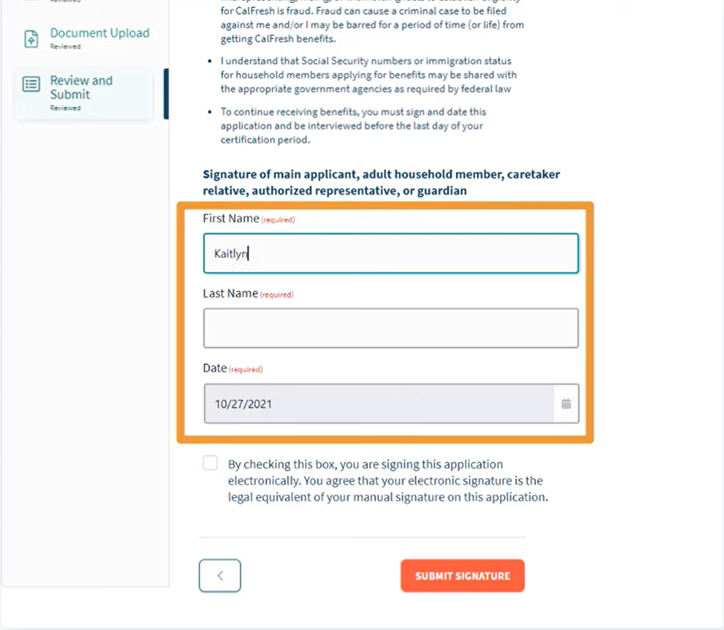
- Firma electrónicamente escribiendo tu nombre, la fecha y marcando la casilla.
- Haz clic en "Enviar firma".
-
Envía tu recertificación
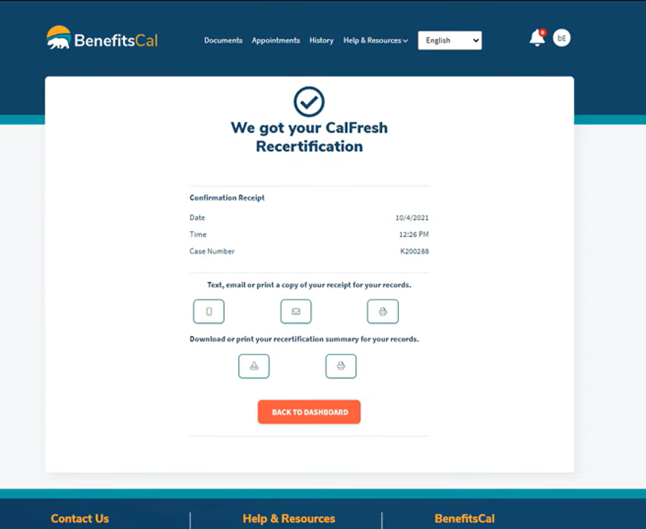
En la siguiente página, haz clic en "Enviar" para enviar tu recertificación. Deberías ver una pantalla de confirmación de recibo. También puedes enviar un mensaje de texto, enviar un email o imprimir una copia para tus registros.