-
Bắt đầu sử dụng BenefitsCal
-
Liên kết tài khoản BenefitsCal của bạn
-
Chứng nhận lại CalFresh trên BenefitsCal
-
Câu hỏi?
BenefitsCal là trang web của California để quản lý các phúc lợi công cộng, bao gồm CalFresh, CalWORKs, CAAP, CAPI và Medi-Cal. Bạn có thể sử dụng nó để Nộp đơn xin Phúc lợi, tải lên tài liệu, gia hạn trường hợp của bạn, cập nhật thông tin của bạn, Tải xuống bằng chứng về Phúc lợi và xem số dư EBT của bạn.
Bắt đầu sử dụng BenefitsCal
Xem video ngắn, chi tiết này hướng dẫn bạn cách tạo tài khoản BenefitsCal của bạn. Để thay đổi phụ đề của video sang ngôn ngữ khác, hãy nhấp vào biểu tượng bánh răng trên video, chọn " CC " hoặc " Captions, " và chọn ngôn ngữ bạn thích.
Ngoài ra, bạn có thể làm theo Sự hướng dẫn từng bước đơn giản bên dưới.
Hướng dẫn từng bước để tạo tài khoản BenefitsCal
-
1
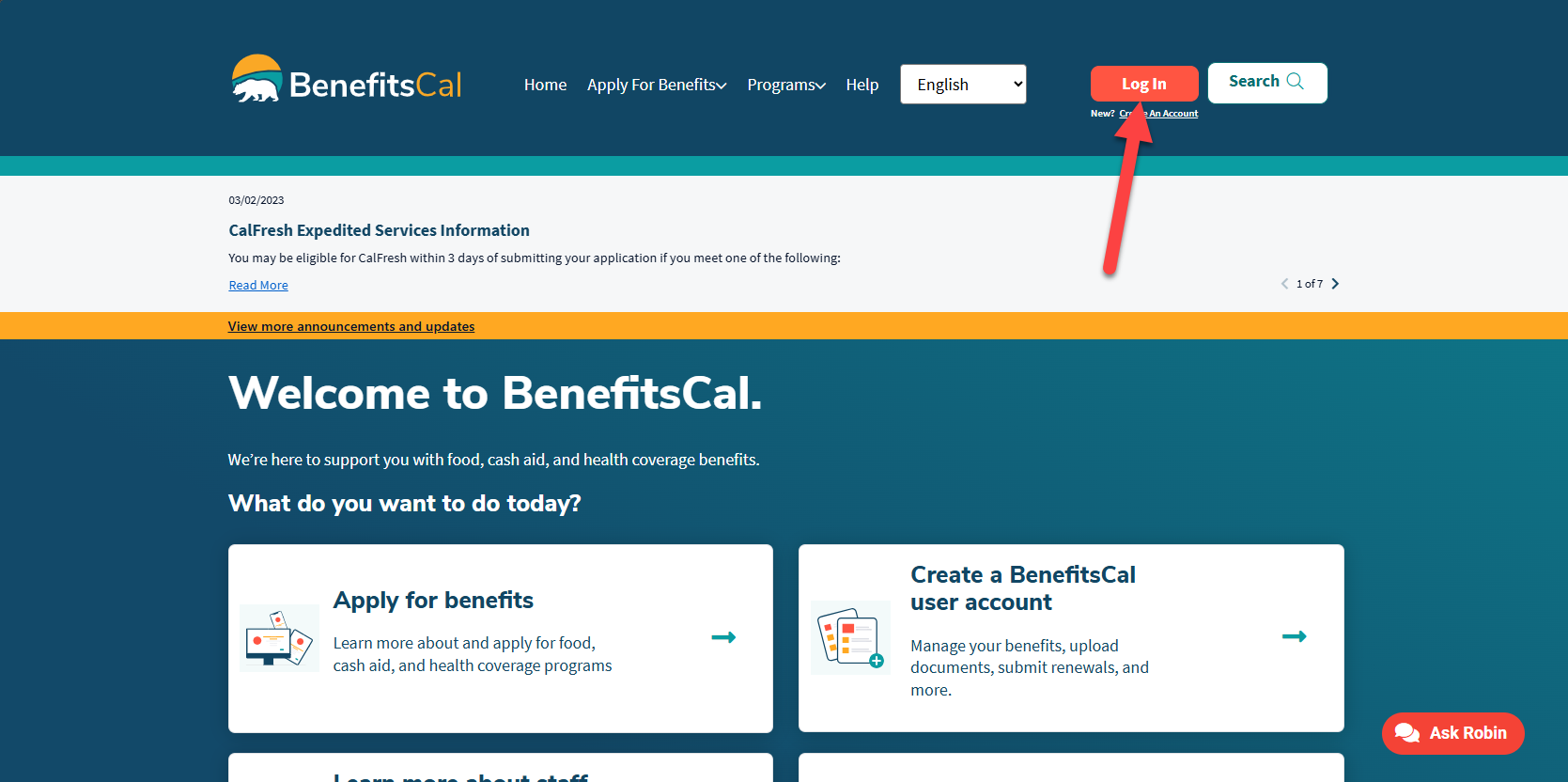
Truy cập Benefitscal.com
Đi đến BenefitsCal.com và nhấp vào “Đăng nhập” ở góc trên bên phải.
-
2
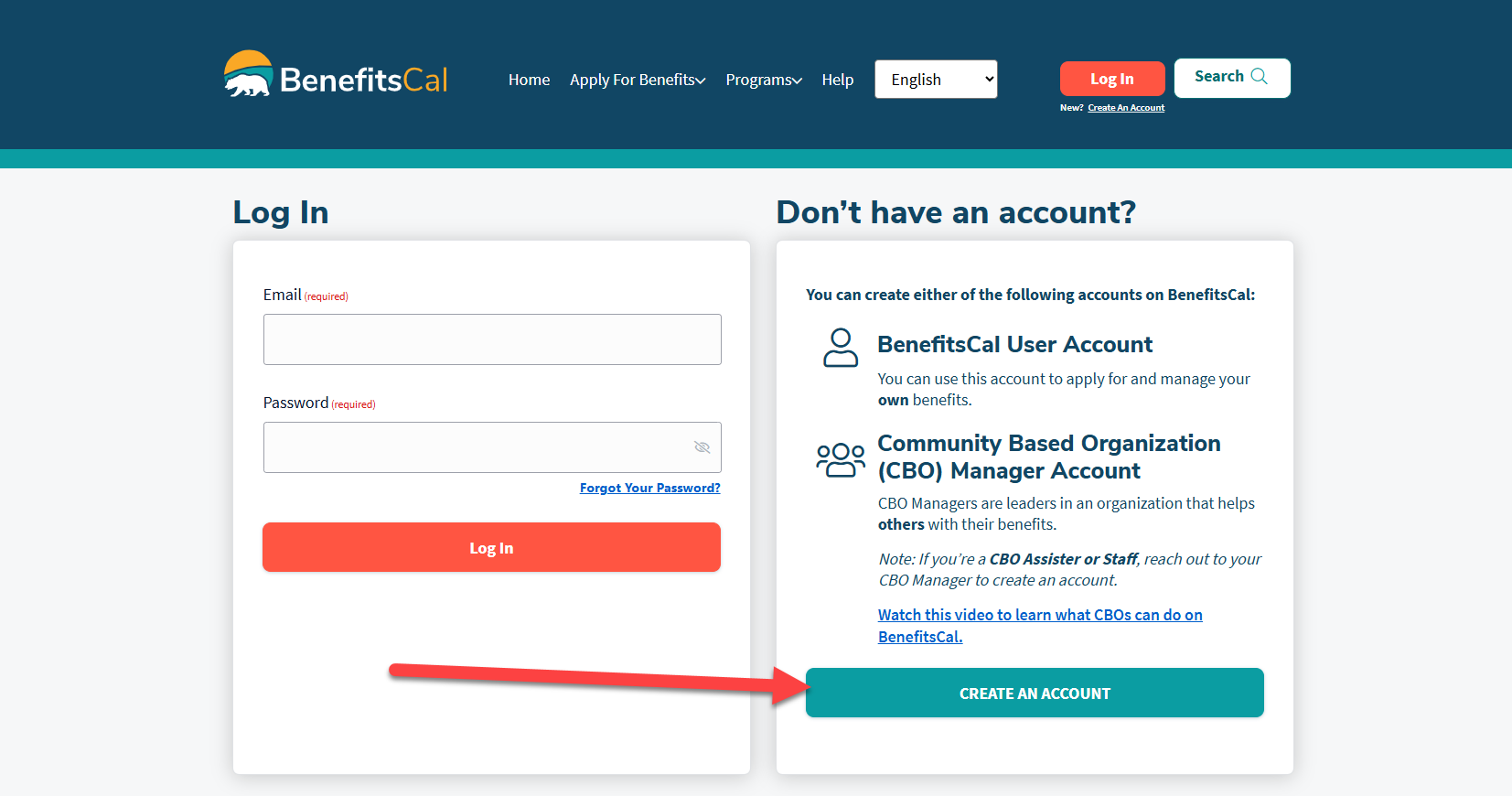
Nhấp vào “Tạo tài khoản”
-
3
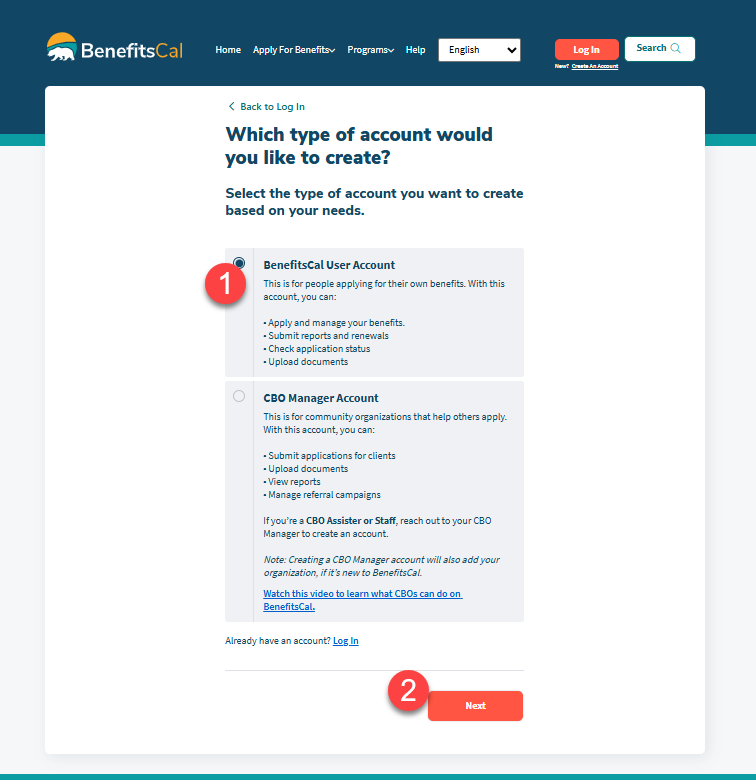
Đặt loại tài khoản
- Nhấp vào “Tài khoản người dùng BenefitsCal.”
- Cuộn xuống và nhấp vào “Tiếp theo”.
-
4
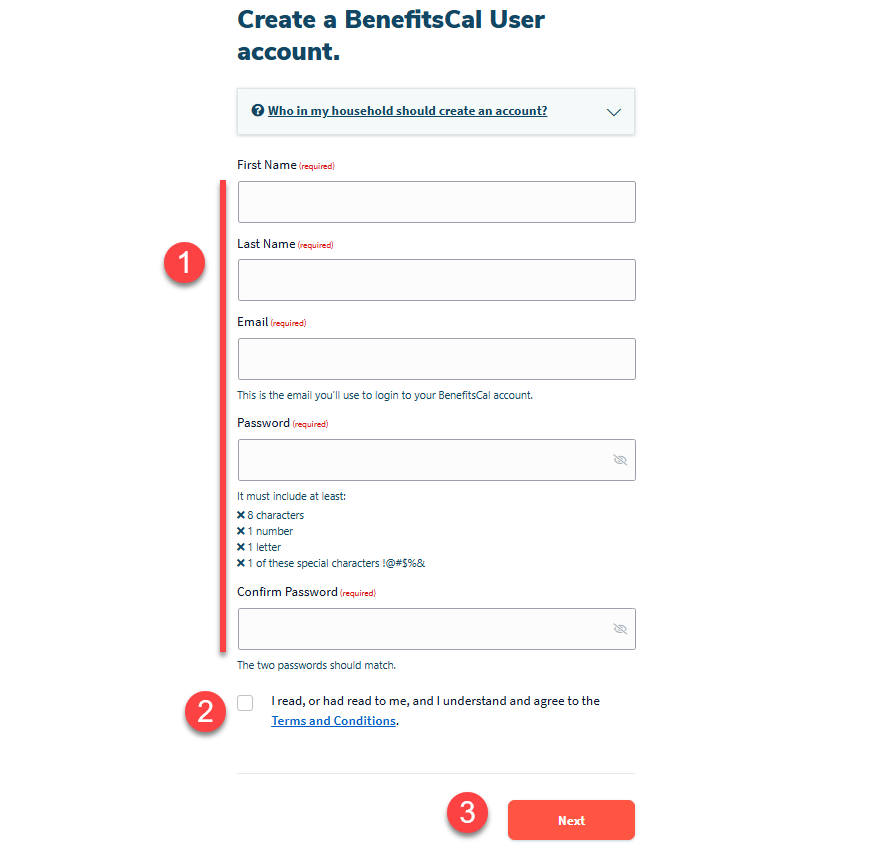
Điền thông tin cá nhân của bạn
- Điền thông tin cá nhân của bạn.
- Cuộn xuống và nhấp vào hộp kiểm " Điều khoản và Điều kiện ".
- Nhấp vào “Tiếp theo”.
-
5
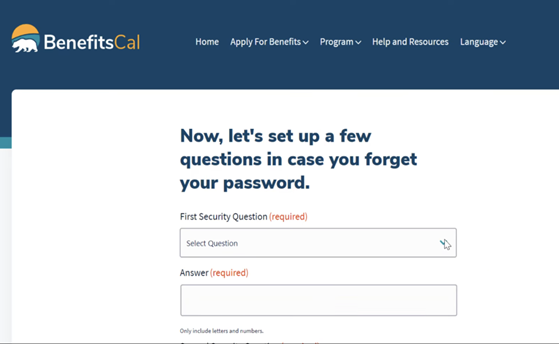
Thiết lập câu hỏi bảo mật
Thiết lập Câu hỏi bảo mật của bạn trong trường hợp bạn quên mật khẩu, cuộn xuống, sau đó chọn “Tạo tài khoản”.
-
6
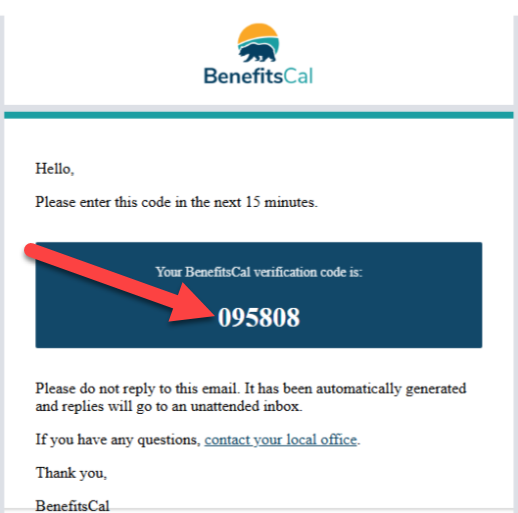
Xác minh email của bạn
- BenefitsCal sẽ gửi cho bạn mã xác minh qua email đến địa chỉ email bạn vừa nhập.
- Truy cập hộp thư email của bạn và tìm email có tiêu đề “Mã xác minh BenefitsCal của bạn”.
- Sao chép mã chữ số 6vào hộp màu xanh.
- Nhập mã trên trang xác minh email BenefitsCal và chọn “Nộp”.
-
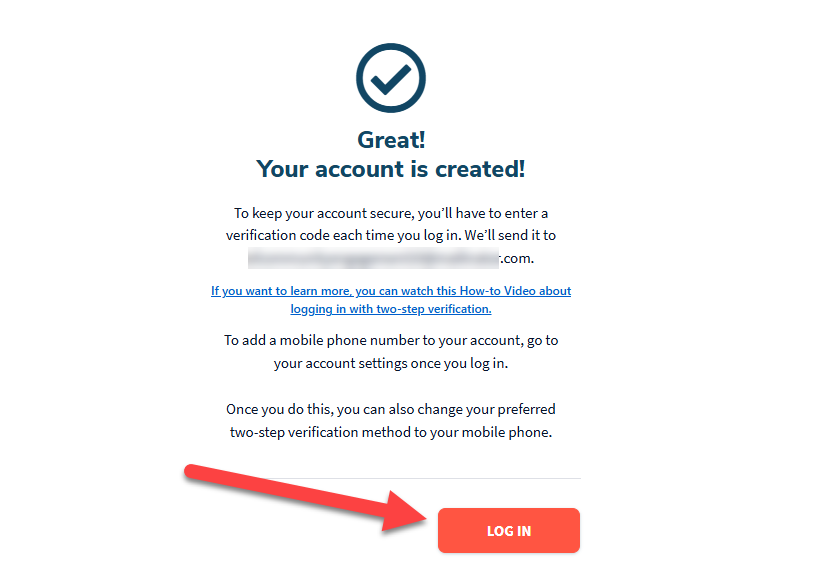
Tài khoản đã tạo
- Xin chúc mừng, bạn đã tạo tài khoản BenefitsCal của mình!
- Tiếp theo, bạn sẽ cần liên kết tài khoản của mình với số trường hợp của bạn để quản lý Phúc lợi của mình.
- Từ đây “Tài khoản của bạn được tạo!” Trang này, vui lòng nhấp vào nút “ĐĂNG NHẬP” để bắt đầu quá trình liên kết tài khoản. Tìm các hướng dẫn đó ở đây.